Generating This Blog's Cover Art Locally on Apple Silicon
The goal
Every cover image on this blog is a cyberpunk neon infographic: a dark futuristic skyline, glowing magenta and cyan, a hooded figure seen from behind, holographic dashboard panels, and a small pink cursive signature. They are made with OpenAI's gpt-image-1 [1], a closed, cloud-only model. I wanted to know how close I could get to that exact look locally, on a MacBook Pro M5 Max with 128 GB of unified memory, with no API and no per-image cost.
The aesthetic itself is not new, and it would be wrong to skip the books that named the genre. William Gibson's Neuromancer [2] and Neal Stephenson's Snow Crash [3] are cyberpunk's true origin, the source of its mood, vocabulary, and obsessions long before any of it reached a screen. The visual look I am after traces from there through the rain-slick neon noir of Ridley Scott's Blade Runner [4], the perpetual-night noir metropolis of Alex Proyas's Dark City [5], and, more recently, the densely-detailed neon arcology of the video game The Ascent [6]. For me, those works are the visual DNA of cyberpunk art, and you can see them in every panel, reflection, and dashboard readout the models produce here. Knowing the lineage is also practical: prompting toward "Blade Runner rain-slick neon," "Dark City perpetual-night noir," or "The Ascent dense neon detail" steers the models more reliably than a generic "cyberpunk."
A word on why I bother. I could illustrate these posts with stock diagrams, but cyberpunk is the genre that hooked me on technology in the first place: the mood of Blade Runner, the shadowed dread of Dark City, the saturated density of The Ascent. Pairing dry, technical write-ups with that kind of cover art keeps the work feeling alive to me, and being able to generate it myself, locally, instead of leaning on a cloud service, is the same instinct that runs through the rest of this blog. So this was always going to be a fun experiment as much as a useful one.
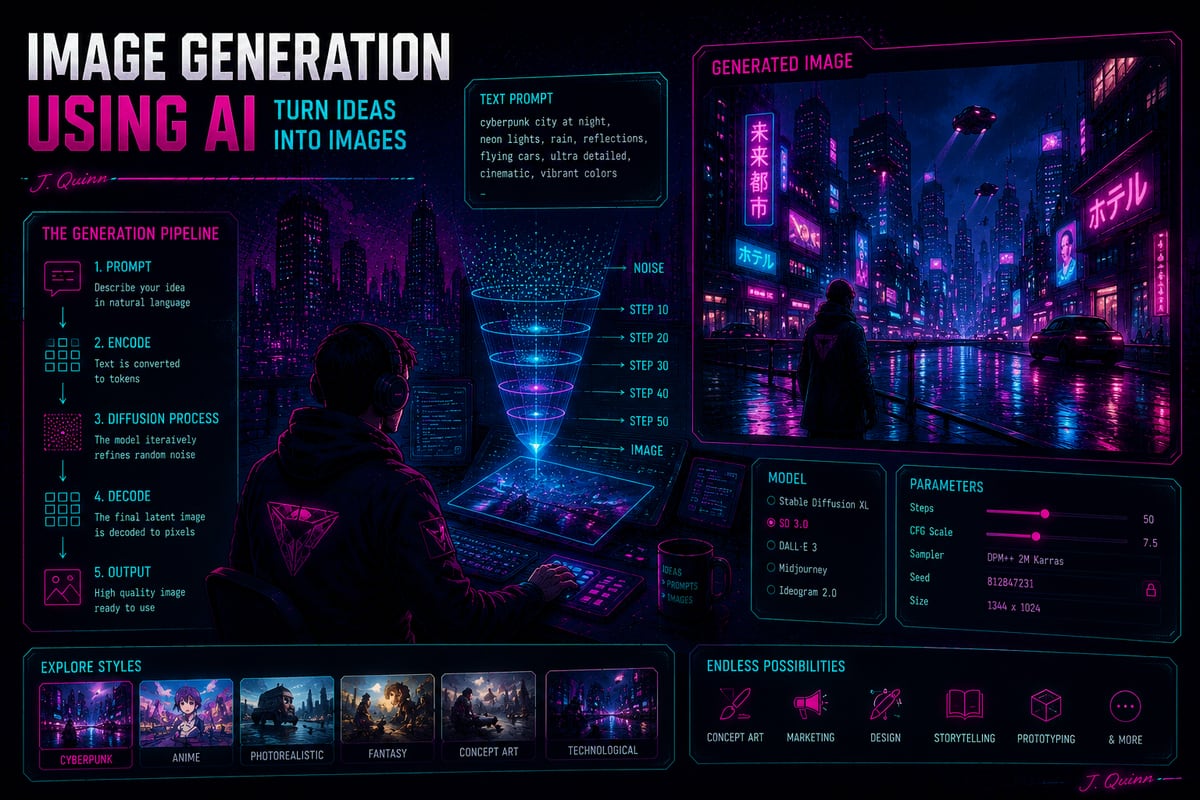
The honest one-line conclusion up front: you can match the art, but not the text. More precisely, of the three properties that make gpt-image-1's signatures and labels work, baked into the image, perfectly legible, and small, a local model gives you any two but never all three in a single pass. The cover of this post is itself a gpt-image-1 infographic (fittingly, one about image generation, complete with crisp pipeline labels and a tiny legible "J. Quinn"); further down is the closest I got reproducing that look locally.
A quick primer
This sits at the intersection of a few fields, and I am not an expert in any of them, so here is the vocabulary in plain terms. An AI image generator like the ones here is a diffusion model: it starts from random visual noise and, over a series of steps, repeatedly cleans it up toward a picture that matches your prompt, the text description you type [7], [8]. Generating from a prompt alone is text-to-image; image-to-image (img2img) instead starts from an existing picture rather than pure noise, so the result keeps some of the original. Quantization stores the model's numbers at lower precision (for example 4-bit instead of 16-bit) so it loads in less memory and runs faster, at a small cost in quality. Running a model locally means it executes on your own machine rather than a company's servers, which is the whole point of this exercise: no per-image fee, nothing uploaded, and it works offline.
The tool: mflux on MLX
The base layer for all of this is mflux [9], an MLX-native implementation of the FLUX family of image models. MLX [10] is Apple's array framework; "MLX-native" means the model runs on the Metal graphics processing unit (GPU) using the unified memory pool directly, with no PyTorch or NVIDIA CUDA in the path. On this machine that turned out to be roughly 10x faster than the PyTorch Metal Performance Shaders (MPS) backend, the usual way to run PyTorch on a Mac GPU, which matters a lot when you are iterating on prompts.
Setup is a uv virtual environment and uv pip install mflux (version 0.18.0). One operational tip learned the hard way: run caffeinate -dims & first. The machine slept mid-session once and dropped its Tailscale connection in the middle of a generation.
First generations: the aesthetic comes easily
FLUX models on Hugging Face are gated (you have to accept a license), but the community publishes pre-quantized, ungated mirrors that mflux loads with no token at all. So the very first render used dhairyashil/FLUX.1-schnell-mflux-4bit, a 4-bit FLUX.1-schnell [11] (the distilled, fast variant that needs only about 4 steps):
mflux-generate \
  --model dhairyashil/FLUX.1-schnell-mflux-4bit --base-model schnell \
  --steps 4 --width 1344 --height 896 --seed 42 \
  --prompt "A cyberpunk neon infographic poster, dark futuristic city skyline at night, \
glowing magenta and cyan neon, a hooded figure seen from behind looking at the glowing city, \
holographic data dashboard panels and a numbered flowchart with tech icons, rain-slick streets, \
highly detailed digital illustration, vibrant neon palette"
That peaked at around 20 GB of memory (per mflux's own reporting) and finished in seconds once the weights were loaded.
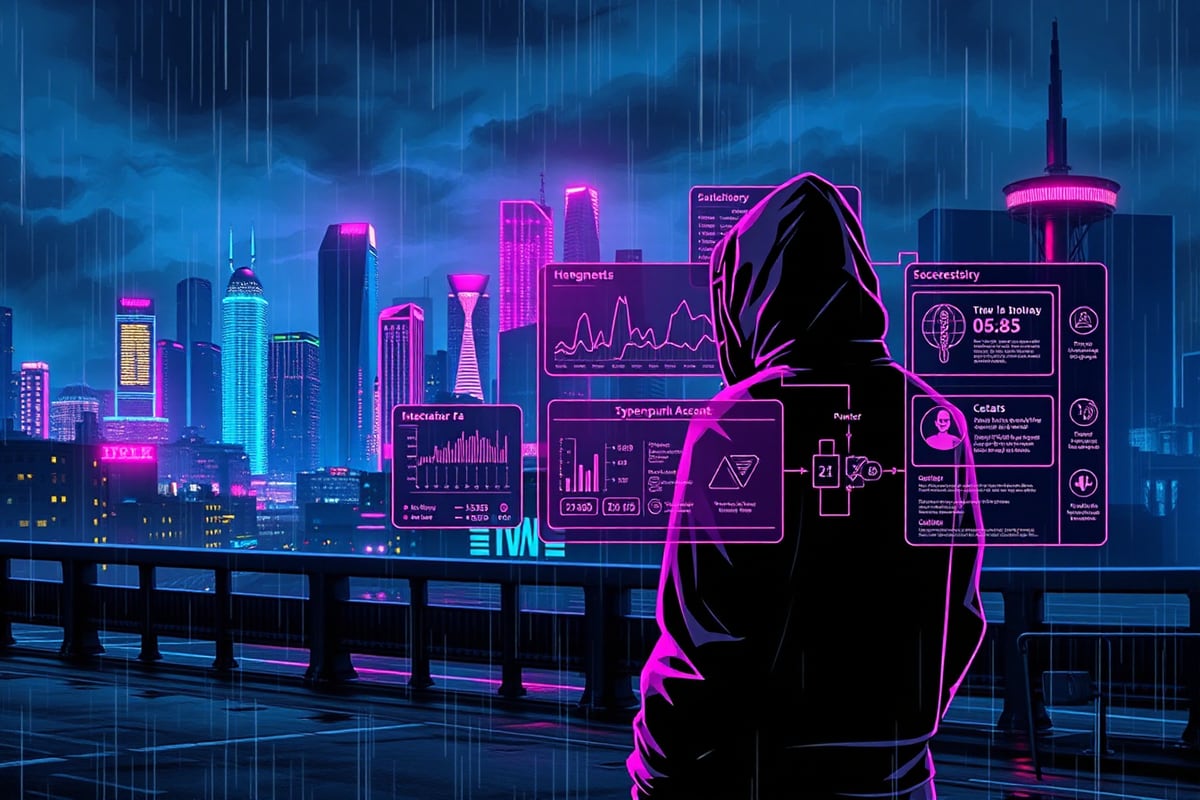
The verdict was immediate and set the theme for the whole session: the aesthetic matched, the text did not. The hooded figure, the neon palette, the rain-slick skyline, the heads-up display (HUD) panels are all there. The panel labels are gibberish, text-shaped marks rather than words. This is the well-known limitation of diffusion image models: they render the texture of text far better than the content, and it gets worse the smaller and denser the text.
Conditioning on the references: img2img and a counter-intuitive knob
A prompt gets the vibe; to get "more like these specific images," you feed a reference in as an init image (img2img). The knob that controls this is --image-strength, on a 0.0 to 1.0 scale, and it is worth being precise about because mflux's convention is the opposite of the common one. In Automatic1111 or ComfyUI the equivalent "denoising strength" means higher = more change from the init. In mflux, --image-strength is the fraction of the init image retained, so higher = closer to the original:
| Strength (0.0–1.0) | Behavior | Result |
|---|---|---|
| 0.40 | retains less of the init; looser restyle | new composition in the style; text degrades more |
| 0.65 | retains more of the init; stays close | near-clone of the reference layout; large headings stay mostly legible |
At 0.65 the output reproduced the reference's whole structure (the funnel, the numbered boxes, the side panel) and the large headings stayed legible, because retaining more of the init keeps the original text pixels instead of regenerating them. The small bullet text still garbled. So if you already have one good infographic, img2img at a high strength is the fastest way to make on-brand variations of it.
Stepping up to FLUX.1-dev (the higher-quality, non-distilled model, again via an ungated 4-bit mirror at 25 steps) gave a clear jump in depth and lighting. The text was still garbled, even at 35 steps. Quality and text legibility are independent problems.
The text problem: Qwen-Image renders words, slowly
The one open model genuinely good at in-image text is Qwen-Image [12], a roughly 20-billion-parameter model built with text rendering as a priority. Two catches. First, mflux 0.18.0 cannot load it: it assumes a dual-encoder layout and errors out looking for a text_encoder_2 that Qwen-Image does not have (Qwen uses a single text encoder). That is a mflux loader limitation, not a missing model file. So Qwen has to run through diffusers [13] on the PyTorch MPS backend instead of MLX, which is where the ~10x slowdown bites: 6 to 11 minutes per image versus about a minute for FLUX on MLX.
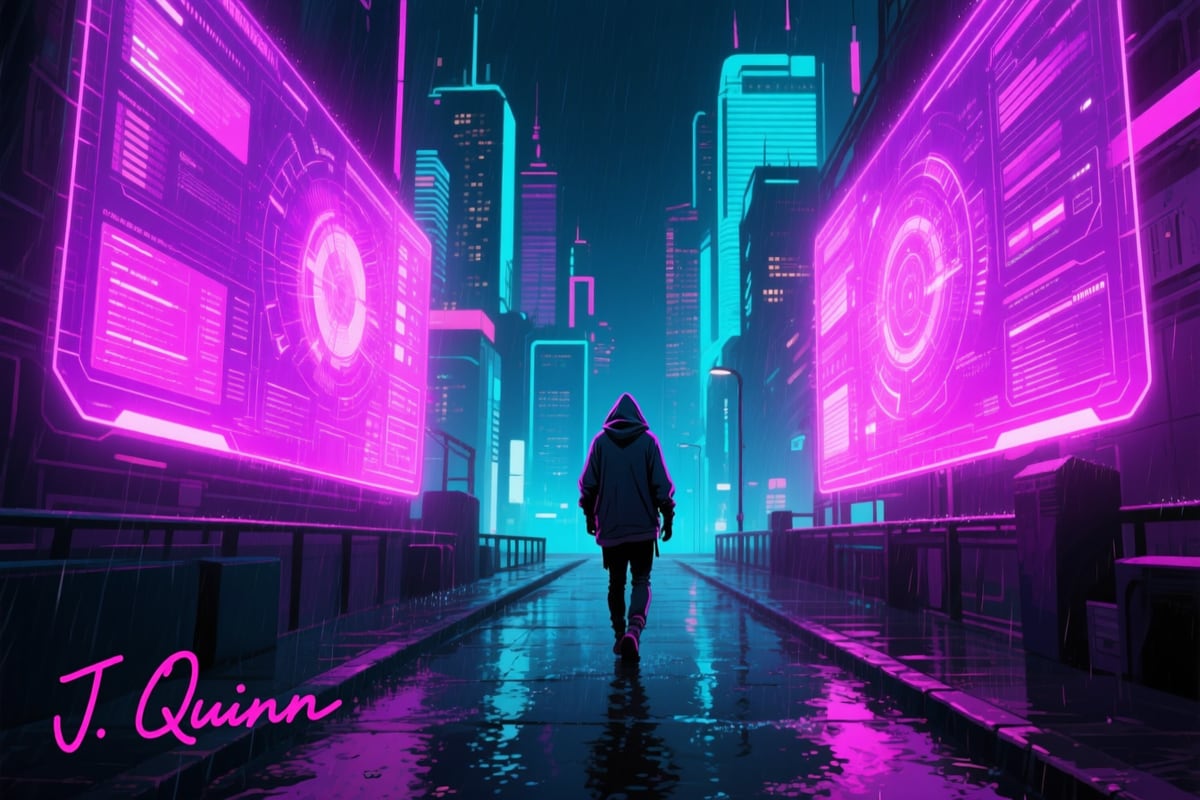
Qwen did the thing no other local model could: it rendered "J. Quinn" legibly. The second catch is that it renders the signature too large and prominently, and neither a higher resolution nor a negative prompt would shrink it. So Qwen gives you baked-in and legible, but not small.
The art winner: FLUX.2-klein, steered toward illustration
The best local art came from FLUX.2-klein-9B [14], a newer-generation FLUX model. It uses a separate command (mflux-generate-flux2) and has no negative prompt by design ("focus on describing what you want"). It is a large download (~40 GB, mostly a big text encoder) but runs fast on MLX: about 2.4 seconds per step across 28 steps, roughly a minute total, peaking near 30 GB.
By default it renders photorealistically, which is cinematic but not what the gpt-image references look like:
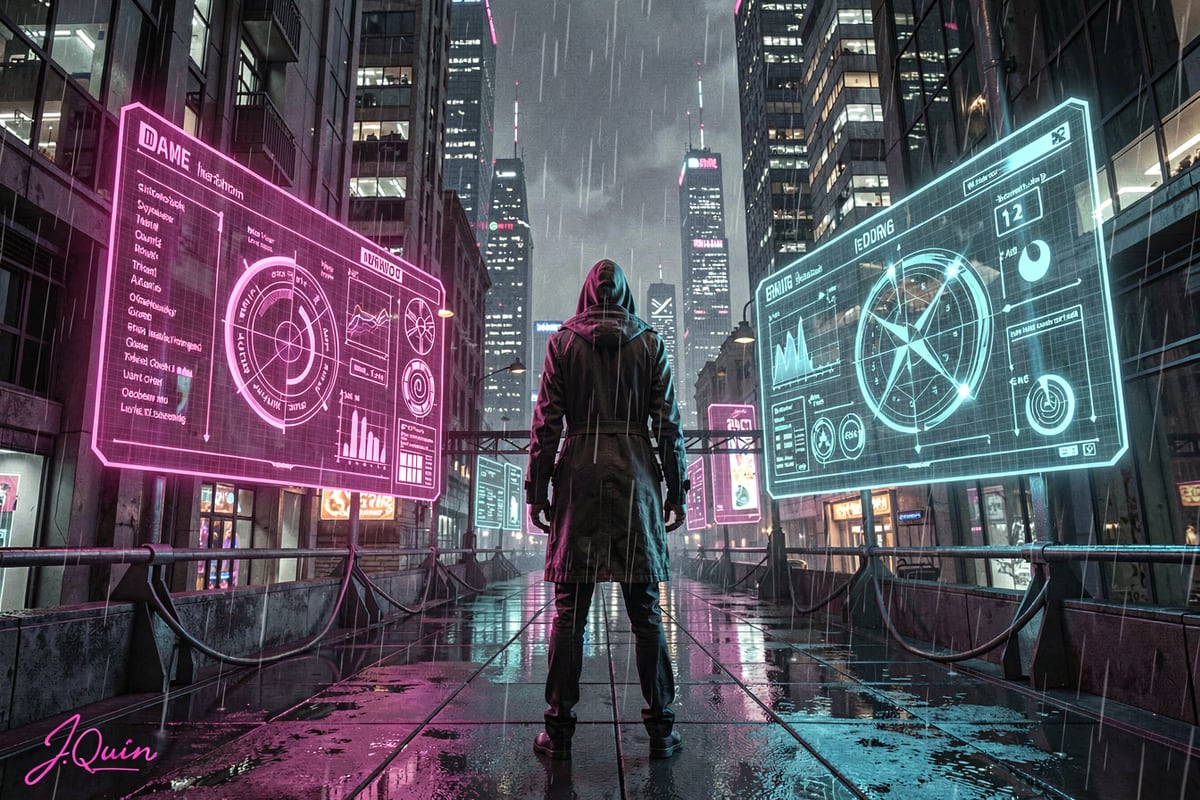
The fix is a one-line stylization instruction in the prompt. This is not a negative prompt (FLUX.2-klein has none); a phrase like "NOT photorealistic" is just a natural-language positive instruction describing the target style. Telling it explicitly "stylized cyberpunk digital illustration, flat cel-shaded comic-book style, bold clean neon vector linework, synthwave poster art, NOT photorealistic" produced the cel-shaded look below, the closest local match to the references. FLUX.2 also rendered the signature about 90% correctly ("J.Quim" instead of "J. Quinn"), much better than FLUX.1's gibberish but still with character-level errors.
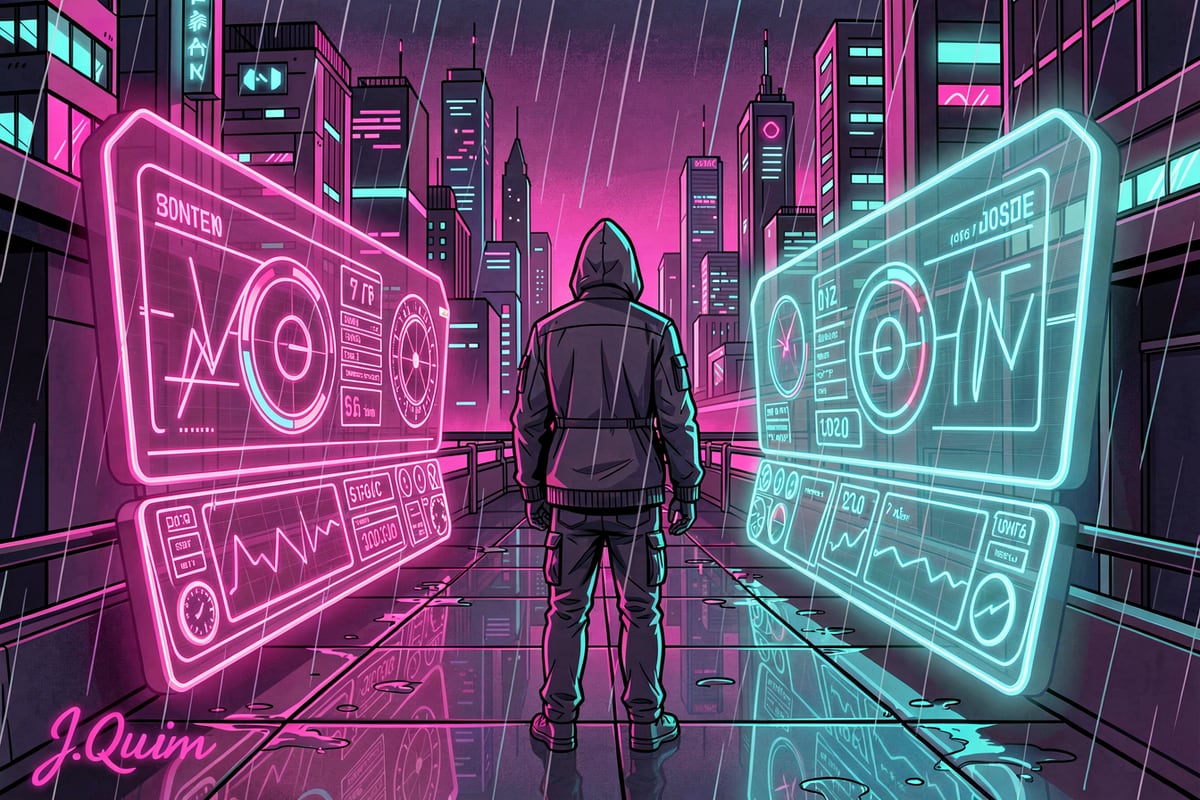
Worth noting one more dead end: Ideogram 4.0 [15], another text-strong model, hit the same text_encoder_2 bug in mflux, and its repository lacks a model_index.json, so diffusers could not auto-load it either. A local dead end for now.
The signature: composite it, do not generate it
Since no local model produces a small, legible, baked-in signature, the faithful way to get the exact one from the references is to stop fighting the model and composite it as a post-process. A small Python script using Pillow draws a neon-pink cursive "J. Quinn" with a soft glow and the underline-into-a-dot flourish from the reference, at a deterministic size and position:
PINK = (255, 45, 161)
font = ImageFont.truetype("/System/Library/Fonts/Supplemental/SnellRoundhand.ttc", size)  # path varies by macOS version; any cursive TTF works
# glow pass (blurred), dark backing for legibility, then the bright text,
# then a flourish: an underline extending right into a filled dot.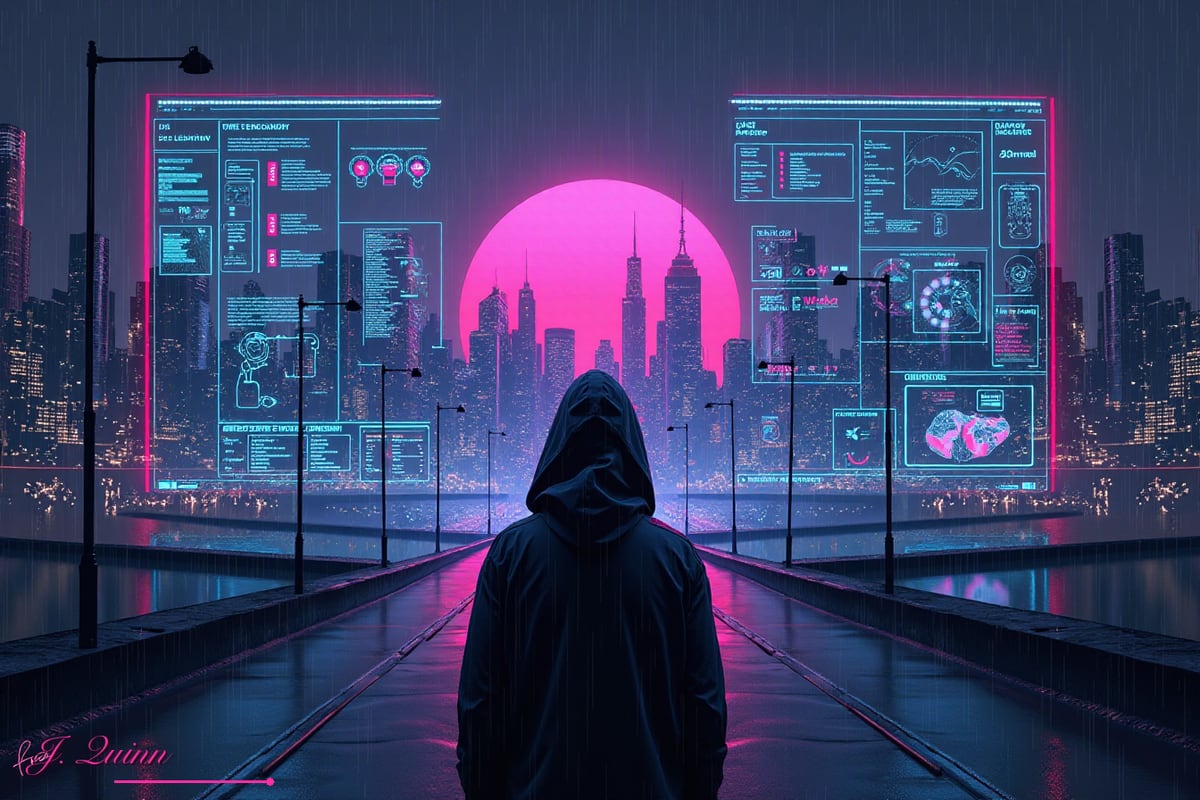
This is deterministic, exactly the right size, and matches the reference precisely, because the references themselves were baked by gpt-image-1, which no local model reproduces. A rejected alternative was a generated neon hex "JQ" monogram stamp; it looked like a logo, not a signature, so the cursive composite won.
The recipe and the honest limits
The working local pipeline, end to end:
- FLUX.2-klein-9B via mflux on MLX, with an explicit illustration style instruction, for the art (about a minute per image).
- img2img at ~0.65 off an existing reference when you want an on-brand variation of a specific layout.
- Qwen-Image via diffusers when you specifically need legible in-image text and can wait several minutes.
- Composite the signature (and any small precise text) as a deterministic post-process.
What stays out of reach locally is the thing gpt-image-1 is uniquely good at: dense, perfectly legible, correctly-sized text baked directly into the image. For a text-heavy infographic with accurate labels, the closed model is still ahead. But for the art, the neon aesthetic, the composition, the mood, a 128 GB Apple Silicon laptop reproduces it convincingly in about a minute per image, entirely offline. The cover of this post is gpt-image-1, because the closed model still wins on a dense, fully-legible infographic like that one; the FLUX.2-klein illustration above is how close the same scene gets locally.
References
[1] OpenAI, "Image generation (gpt-image-1)," platform.openai.com/docs/guides/image-generation, accessed June 2026.
[2] W. Gibson, "Neuromancer," Ace Books, 1984. en.wikipedia.org/wiki/Neuromancer.
[3] N. Stephenson, "Snow Crash," Bantam Books, 1992. en.wikipedia.org/wiki/Snow_Crash.
[4] R. Scott (director), "Blade Runner," Warner Bros., 1982. en.wikipedia.org/wiki/Blade_Runner.
[5] A. Proyas (director), "Dark City," New Line Cinema, 1998. en.wikipedia.org/wiki/Dark_City_(1998_film).
[6] Neon Giant, "The Ascent," Curve Digital, 2021. en.wikipedia.org/wiki/The_Ascent_(video_game).
[7] J. Ho, A. Jain, and P. Abbeel, "Denoising Diffusion Probabilistic Models," arXiv:2006.11239, 2020.
[8] R. Rombach, A. Blattmann, D. Lorenz, P. Esser, and B. Ommer, "High-Resolution Image Synthesis with Latent Diffusion Models," arXiv:2112.10752, 2022.
[9] F. Strand and contributors, "mflux: A MLX port of FLUX for Apple silicon," github.com/filipstrand/mflux, accessed June 2026.
[10] Apple Machine Learning Research, "MLX: An array framework for Apple silicon," github.com/ml-explore/mlx, accessed June 2026.
[11] Black Forest Labs, "FLUX.1," github.com/black-forest-labs/flux, accessed June 2026.
[12] Qwen Team, "Qwen-Image (text-to-image model)," huggingface.co/Qwen/Qwen-Image, accessed June 2026.
[13] Hugging Face, "Diffusers: State-of-the-art diffusion models," github.com/huggingface/diffusers, accessed June 2026.
[14] Black Forest Labs, "FLUX.2-klein-9B," huggingface.co/black-forest-labs/FLUX.2-klein-9B, accessed June 2026.
[15] Ideogram, "Ideogram 4.0 (ideogram-4-fp8)," huggingface.co/ideogram-ai/ideogram-4-fp8, accessed June 2026.